 StreamTranslate.liveChat Translator
Read Twitch chat in your language.
Watching a Twitch stream in another language should not mean losing the conversation. StreamTranslate Chat Translator translates written chat in your own browser. You do not need to stream, moderate the channel or ask the broadcaster to install anything.
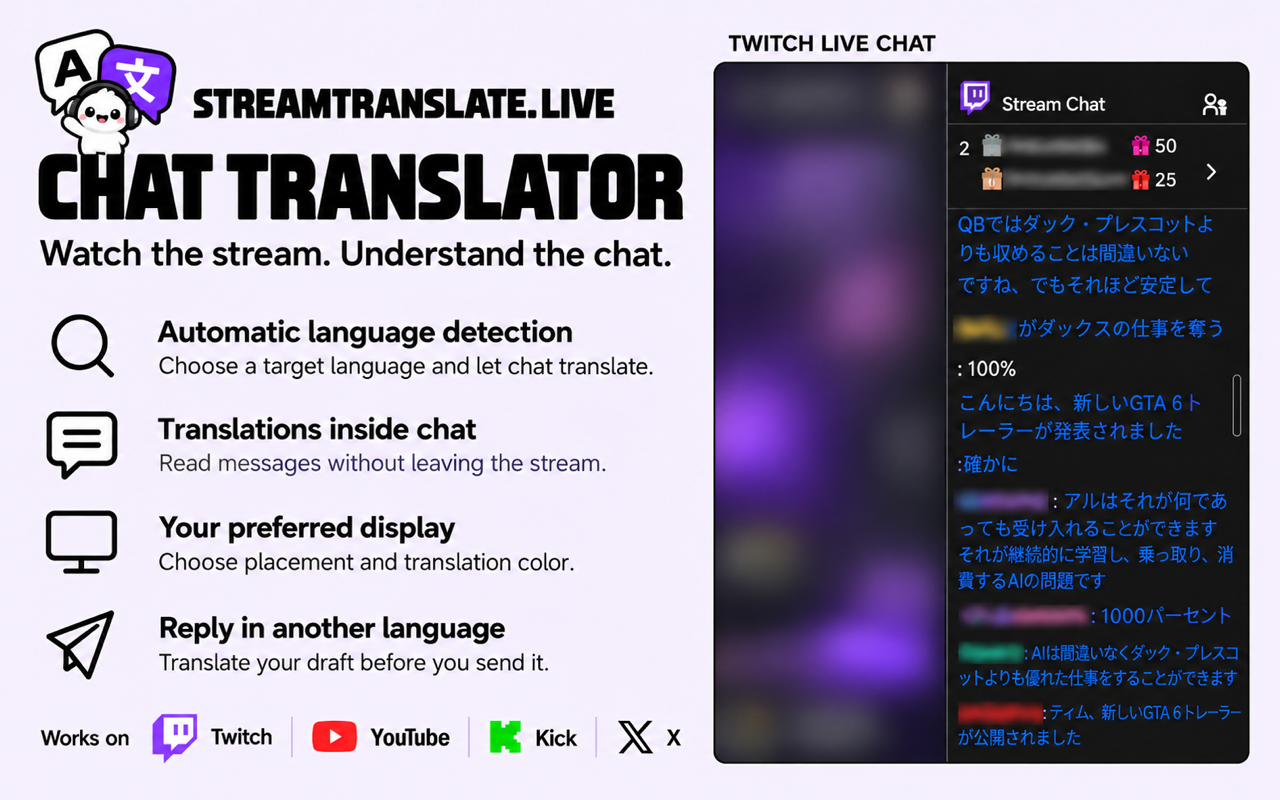
How to translate Twitch chat
- Open a Twitch channel with live chat in your desktop browser.
- Open Chat Translator, turn it on and choose the language you want to read. Leave the source on Auto-detect when chat uses several languages.
- Choose in-place translations or a display option that keeps the original text nearby. Adjust the translation color to suit the chat theme.
- If you want to join in, type a reply draft and use Translate before sending. Review the result, then use Twitch’s normal send control.
A browser extension, not a bot in the channel.
You do not need a broadcaster dashboard, OBS setup or a chat bot invite to read translated Twitch messages. The extension changes your own view of written chat; it does not replace the channel’s moderation rules or change what other viewers see.
Emotes, subscriber badges, usernames, slang and short jokes can be harder to interpret than complete sentences. Reply translation does not bypass follower-only, subscriber-only or other Twitch chat restrictions.
Common questions
Does the streamer need to install this?
No. Chat Translator runs in your desktop browser. It does not require broadcaster installation to translate written Twitch chat.
Is this the same as StreamTranslate CC?
No. Chat Translator translates written chat. StreamTranslate CC is the broadcaster-enabled Twitch extension for captions generated from spoken audio.
Is Chat Translator free?
Yes. The chat extension needs no StreamTranslate account, subscription or API key. Translation uses Google and can be delayed or temporarily unavailable.
What happens to chat text?
After you enable translation, chat text and language choices go directly to Google for translation; Google also receives your IP address. Reply drafts are sent for translation when you press Translate. StreamTranslate does not receive your chat.
Watch on more than one platform?
The same browser extension supports Twitch, YouTube, Kick, X and TikTok LIVE. You do not need five separate extensions.
Independent extension; not affiliated with or endorsed by the streaming platforms. Read the extension privacy policy.